DMV Practice Test: Permit 2026
- 4.7
- Rating
- 100.00K
- Installs
- Free
- Price

 Analysis by App-foxy
Preparing for a driving permit can feel strangely inefficient. You may read a handbook one evening, take a few practice questions the next, and still discover that the same road-rule mistakes keep returning. I found DMV Practice Test & Routes useful because it turns that vague study routine into something more repeatable: open the app, answer questions, notice where I hesitate, and return to those topics before moving on. It is an Auto & Vehicles app from BrainSoft Apps, available free for Everyone, with optional in-app purchases ranging from $2.49 to $34.99 per item.
I would not treat it as a replacement for the official driver handbook or the real licensing process. I see it more as a practical training companion for the written permit test, especially when I have short gaps in the day rather than a quiet hour for serious reading. Its average rating of 4.7 from around 4.6 thousand ratings and more than 100 thousand installs suggest that many learners find this format worthwhile, but popularity does not remove the need to study the rules themselves.
How I built a useful study routine with it
My most productive starting point was not trying to answer as many questions as possible. I first used a short session to understand the rhythm of the app: read the prompt carefully, choose an answer, and pause after each result instead of rushing immediately to the next item. That small habit matters because a wrong answer is only useful if I understand why my choice failed. Guessing quickly can create the illusion of progress while leaving the original misunderstanding untouched.
You May Also Like

 Google Keep - Notes and lists
Google Keep’s Quiet Growth Shows the Appeal of Simpler Notes
As mobile work gets busier, Google Keep keeps winning a simple contest: capture a thought quickly, find it later, and get on with the day.

 Blood Strike: 2.5 Anniversary
Blood Strike’s Loadouts Turn Every Drop Into a Tactical Gamble
A close look at Blood Strike’s custom loadouts: how fast access to signature weapons reshapes its battle royale rhythm, rewards preparation, and narrows the gap between fights.

 Pandora - Music & Podcasts
Pandora’s Music Is Easy to Start, but Harder to Recover
Pandora’s strength is its low-effort path from a seed to a station. Its weak spot is how much confidence it asks you to place in connection, setup, and quiet recovery.

 8 Ball Pool
 Is Built on Rivalries, Rematches, and Routine
A close look at the rivalries, rematches, shared routines, and unanswered safety questions that turn a quick pool match into a persistent mobile community.

 Samsung Music
’s Quiet Strength Is Playing What You Already Own
Its reach comes less from spectacle than from dependable access to a personal library. That simplicity is both the app’s strongest retention engine and its ceiling.

 AccuWeather: Weather Radar
AccuWeather Review: A Quick, Clear Forecast for Everyday Decisions
For everyday plans, the best forecast is the one you can understand quickly. AccuWeather makes rain timing, radar, and local conditions easy to act on, with a few trade-offs.
More From Our News Desk



The app works best when I use it as a diagnostic tool. If I repeatedly confuse stopping rules, signs, or right-of-way situations, I make a note of the exact idea rather than simply remembering the question. Questions can change; the rule behind them is what I need on test day. I then revisit the relevant section in the official handbook and return to the app to see whether I can apply the principle in a different wording.
A realistic everyday workflow is a ten-minute session during a commute break, followed by a longer review at home. I would not use the app while driving, of course, but a parked moment before work or after an appointment is ideal. In the short session, I answer deliberately and mark the concepts that caused doubt in my own notes. Later, I use those notes to guide handbook reading instead of starting from the first page every time.
This approach also helps people who are studying around work, school, or family responsibilities. A full mock-study evening is easy to postpone, while a small practice block feels manageable. The important point is to make the sessions consistent. Opening the app once and then disappearing for a week is much less effective than returning regularly and reviewing mistakes with patience.
What I pay attention to after each answer
I separate three kinds of errors. The first is a knowledge gap: I simply did not know the rule. The second is a reading error: I knew the subject but missed a word such as “unless,” “always,” or a condition in the scenario. The third is a judgment problem: I understood the individual rules but applied the wrong one to a situation. Each type needs a different response, and treating them all as ordinary wrong answers wastes study time.
For a knowledge gap, I go back to the handbook. For a reading error, I slow down and restate the question in my own words before answering again. For a judgment problem, I describe the situation as if I were explaining it to another learner. That explanation often reveals whether I really know who has priority, where a vehicle should position itself, or what a sign requires.
The most valuable habit is reviewing the reason behind an answer, not collecting a high-looking practice score. A score can improve because I remember familiar wording, while my understanding remains fragile. I get more confidence when I can explain the rule without seeing the original question.
How the app fits beside the official handbook
The usual alternative is to rely on the handbook alone. That remains essential because it is the place to check the rules that apply to the licensing authority where I plan to test. However, handbook reading can become passive. I may recognize a paragraph while reading it but fail to recall the rule when a question presents a slightly different situation.
This app adds active recall. It asks me to make a choice, exposes uncertainty, and gives me a reason to look up a topic. The trade-off is that practice questions are not the complete body of driving knowledge. If I use only the app, I risk studying the questions rather than learning the law. My preferred combination is handbook first for the framework, practice sessions for retrieval, and handbook checks whenever an answer seems surprising.
Another alternative is searching the web for individual explanations. That can help with a particular confusion, but it is less organized and may mix advice from different locations. I prefer using the app to identify the topic, then checking an authoritative local source. That two-step process is slower than accepting the first search result, but it is safer for rules that can vary by jurisdiction.
Settings, shortcuts, and repeatable patterns that improve practice
I use settings and simple repeatable routines to make each practice session more deliberate, not merely faster. Checking that the material fits the place where I plan to test, then grouping mistakes by their cause, helps me decide whether to revisit a rule or simply slow down while reading. From there, I can build a practical way to recover when a session leaves me unsure rather than confident.
Settings worth checking before serious study
Before settling into a routine, I check the app’s available settings and presentation options rather than assuming the default arrangement is ideal. The useful question is not whether every option should be changed; it is whether the screen makes me think clearly. I want readable text, a comfortable display, and a pace that encourages careful answers. If a setting makes the session feel rushed or distracting, I change it before judging my performance.
I also check whether the app’s material matches the place where I intend to take the test. The name refers broadly to DMV practice, but driving rules are not identical everywhere. I do not assume that a familiar-looking question automatically reflects my local examination. When a topic involves a specific legal detail, I verify it against the relevant handbook instead of allowing the app’s wording to become my only authority.
That check is particularly important for learners who have moved between states or countries. A person can be an experienced driver and still need to learn local signs, procedures, and permit expectations. In that situation, the app is helpful for revealing what needs attention, but local documentation decides what is correct. Experienced drivers should be especially careful here because confidence in general driving can mask unfamiliarity with local rules.
Faster patterns that do not weaken learning
Once I understand the basic workflow, I stop treating every session as a random collection of questions. I use a cycle: one session for broad coverage, another focused on mistakes, and a later session for mixed recall. The first shows me the range of topics. The second repairs weak areas. The third checks whether I can still answer when the subject changes unexpectedly.
This is faster than repeating the same comfortable category. Familiar questions feel good, but they do not reveal whether I can switch from signs to intersections, from safe following distance to emergency situations, or from a definition to a practical scenario. Mixed practice is less relaxing and more informative.
I also use a “two-pass” method. On the first pass, I answer only when I can justify the choice. If I am uncertain, I make the best decision and record the uncertainty. On the second pass, I revisit the concepts rather than trying to memorize the exact wording. This prevents one difficult question from consuming an entire session while still ensuring that uncertainty does not disappear unnoticed.
- Use short sessions to identify weak concepts rather than chasing volume.
- Write down the rule in your own words when an answer surprises you.
- Mix familiar and unfamiliar topics so recognition does not become the only skill.
- Confirm location-specific details in the appropriate official handbook.
A useful shortcut is to group mistakes by cause instead of by question number. For example, I may notice that several errors came from reading too quickly, not from separate failures in signs and lane rules. Fixing the reading habit can improve multiple areas at once. Conversely, if all the mistakes concern one type of intersection, I know that broad practice is not enough and need a targeted review.
When optional purchases change the decision
The app is free to start, which makes it easy to test whether its question style suits me before spending anything. I would use the free experience long enough to decide whether the explanations, organization, and pace fit my learning style. Optional purchases are listed from $2.49 to $34.99 per item, so I would not buy simply because I felt anxious about the exam.
For me, payment would only make sense if the additional material directly solved a problem I had already identified, such as needing broader practice or a more complete study routine. It would not replace reading local rules, and it would not guarantee readiness. A learner who is already making steady progress with the free material may gain little from paying. Someone who needs more structured repetition may find the upgrade more useful, but should still compare the cost with other study resources.
This is one area where the usual alternative can be better: a printed handbook or official preparation material may be more valuable when the main weakness is understanding local law rather than needing more questions. The app is strongest at making practice convenient, not at becoming the sole source of authority.
Advanced limits that experienced learners should understand
There is a ceiling to what repeated practice can prove. If I see the same wording many times, I can learn the expected response without developing flexible judgment. That is why I deliberately explain answers without looking at the choices and create small variations in my head. If a question says one vehicle is turning, I ask what would change if another vehicle arrived first, if a sign were present, or if visibility were poor. The app may prompt the idea, but the deeper exercise happens in my reasoning.
I also avoid using a strong run of answers as permission to stop studying. A good session shows that I handled that set of questions under those conditions. It does not prove that I know every topic or that my local test will use identical wording. Readiness should include calm reading, knowledge of the handbook, and the ability to explain common rules without relying on recognition.
Another limitation is practical rather than technical: phone study can encourage shallow attention. Notifications, fatigue, and hurried tapping make a session less meaningful. I get better results when I put the phone on a quiet setting, sit somewhere stationary, and treat even a short practice block as a real study appointment. If I am too tired to read carefully, I would rather stop than reinforce careless habits.
The app may also be a poor fit for someone who needs extensive accessibility support, highly personalized instruction, or direct guidance from a teacher. A learner who struggles to understand the language of the questions may benefit more from an instructor or an approved resource designed for that need. Likewise, a person seeking behind-the-wheel coaching will not find a quiz app sufficient. Written-test preparation and practical driving skill are related, but they are not interchangeable.
Who should use it, and who should choose something else
I recommend it most readily to a new permit applicant who wants frequent practice, a learner returning after a long break, or an experienced driver moving to a different licensing system. It is also useful for someone who knows they procrastinate with a large handbook and needs a low-friction way to begin. The free entry point makes that trial relatively straightforward.
I would be more cautious for a learner who expects the app to reproduce the official test exactly. That expectation can lead to memorization and misplaced confidence. I would also steer away from relying on it alone if the learner has not read the local handbook, needs detailed explanations for every rule, or is preparing for a specialized license with requirements beyond ordinary permit knowledge.
BrainSoft Apps has kept the product focused on practice rather than turning it into a general driving companion. That focus is convenient, but it also defines the boundary. I use it to rehearse decisions and expose gaps; I do not use it to replace official information, professional instruction, or actual road experience.
My final assessment after making it part of a routine
Released on November 8, 2024, and currently at version 1.1.5, DMV Practice Test & Routes is a sensible free starting point for written-test preparation on devices running Android 7.0 or later. Its strongest quality is not that it makes studying effortless; it makes repeated practice easy to fit into ordinary days. That distinction matters. The app can provide the prompt, but I still have to slow down, investigate mistakes, and connect each answer to the real rule.
I would recommend installing it if you want a convenient practice layer beside the handbook and are willing to verify local details. I would skip it as a sole study source if you need official jurisdiction-specific guidance, personal teaching, or practical driving instruction. Used with a repeatable workflow, careful review, and sensible limits on memorization, it becomes more than a stream of quiz questions: it becomes a compact way to find weaknesses before the permit test finds them for you.
My verdict is positive, with that important qualification. The free format lowers the barrier to getting started, the broad audience rating of 4.7 is encouraging, and the app suits learners who benefit from frequent recall. The best results come from experienced habits: check the settings, practice in short focused blocks, group mistakes by cause, verify local rules, and return later to mixed questions. If I followed those steps, I would feel better prepared than I would after passively reading a handbook once, while still respecting the handbook as the final reference.
FAQs for DMV Practice Test: Permit 2026
01What features does the DMV Practice Test & Routes app offer?
The DMV Practice Test & Routes app provides a comprehensive platform to help users prepare for their driving tests. It includes a variety of practice tests that mimic real DMV exams, detailed route maps for practical exam preparation, and a progress tracker to monitor learning. Additionally, users can access a database of frequently updated questions that cover state-specific driving laws.
02Is the DMV Practice Test & Routes app free to use?
The app offers both free and premium versions. The free version includes basic practice tests and limited access to route maps. To unlock advanced features such as a larger question bank, detailed analytics, and offline access, users can opt for a subscription or a one-time purchase, depending on their preference.
03How accurate are the practice tests in the app?
The practice tests in the DMV Practice Test & Routes app are designed to closely simulate actual DMV exams. The questions are regularly updated to reflect current state-specific driving laws and regulations. Feedback from users indicates a high success rate in passing the real DMV tests after using the app for preparation.
04Can the app be used for all states in the U.S.?
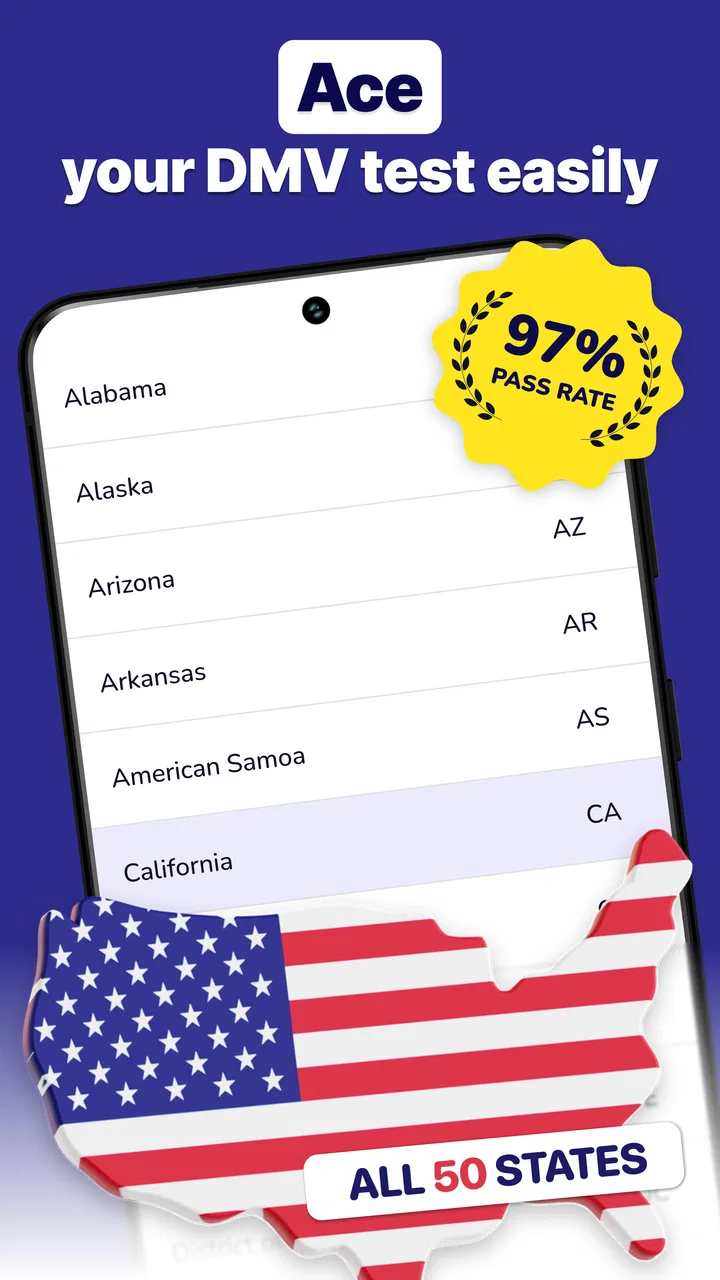
Yes, the DMV Practice Test & Routes app is designed to cater to users across all U.S. states. It offers state-specific content, ensuring that users are practicing with questions and routes that are relevant to their local DMV requirements. Users can select their state upon setup to customize the content accordingly.
05Does the app require an internet connection to function?
While the DMV Practice Test & Routes app requires an internet connection for initial setup and updates, many features, such as practice tests and saved routes, can be accessed offline. This makes it convenient for users to study and practice on-the-go without relying on a constant internet connection.
Pros
- User-friendly interface enhances learning.
- Wide range of practice questions available.
- Includes detailed explanations for answers.
- Offline access for study on the go.
- Customizable tests tailored to user needs.
Cons
- Ads can be intrusive during test sessions.
- Limited free content without subscription.
- Some questions lack updated information.
- Requires in-app purchases for full access.
- Occasional app crashes on older devices.

DMV Practice Test: Permit 2026
Gallery